Designing A Kitchen System
A kitchen-planning app designed and shipped end-to-end with AI. The design process, tools, and decisions behind Dishlist App.
Product Design, AI Workflow

Project Overview
Project: Dishlist App
Timeline: September 2026
Role: Product Designer & Developer
Live at: Try the live MVP
I designed and built Dishlist, a working kitchen-planning MVP that connects what people have, what they need to buy, and what they plan to cook. AI accelerated research, exploration, and implementation, while product framing, prioritisation, interaction decisions, and quality remained designer-led.
The problem
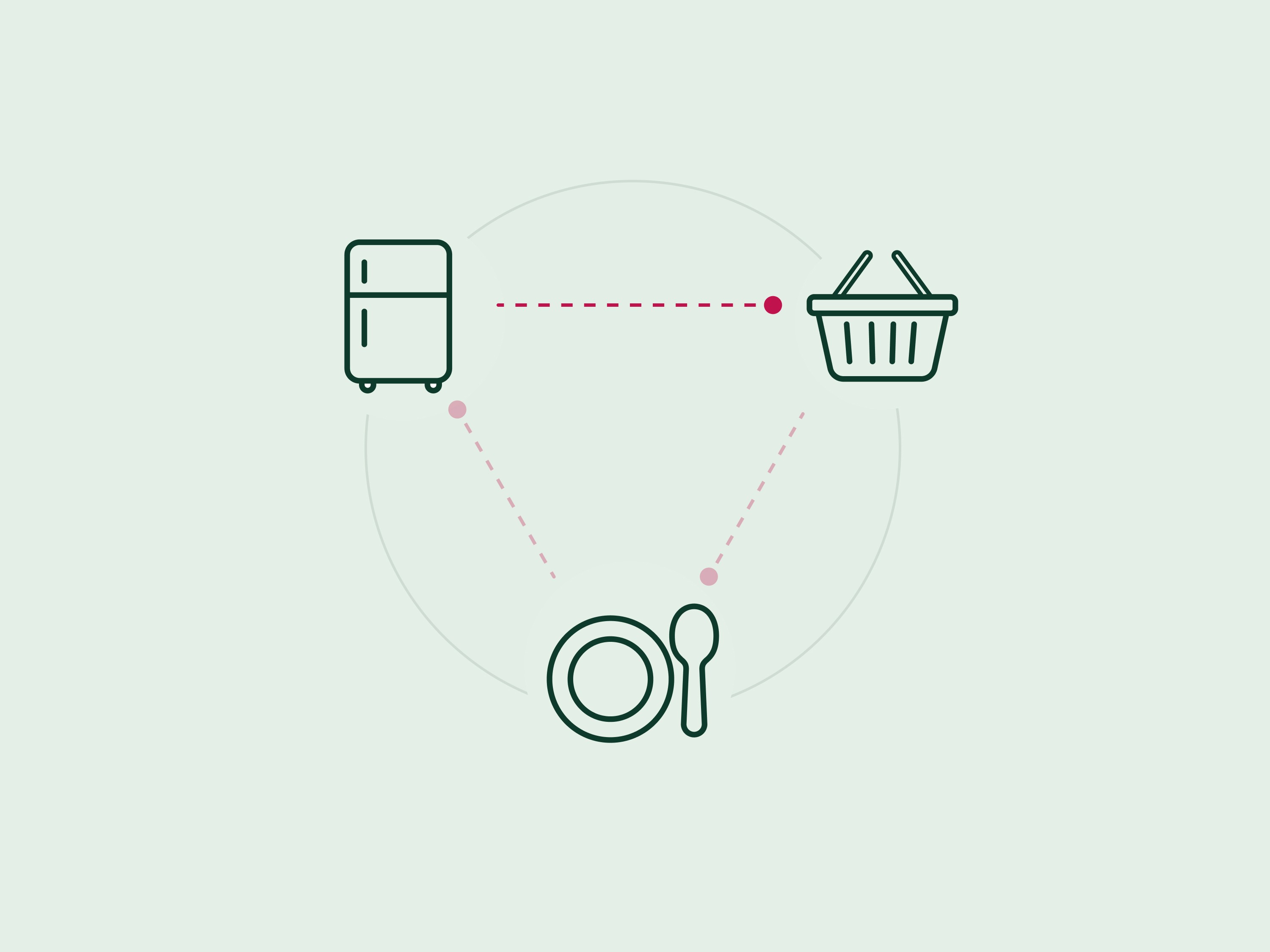
Planning food at home involves three connected questions: What do I already have? What do I need to buy? What should I cook?
Most people manage these through separate apps, handwritten lists, and memory. Grocery apps usually focus on faster shopping lists, while meal-planning products focus on recipe inspiration. The connection between buying, having, and cooking is left to the user.
This creates repeated work, unnecessary purchases, forgotten ingredients, and the familiar daily question: “What’s for dinner?”
Discovery and opportunity
I reviewed Listonic, Bring!, Cherrypick, and Samsung Food, alongside secondary research into UK household food waste and shopping behaviour.
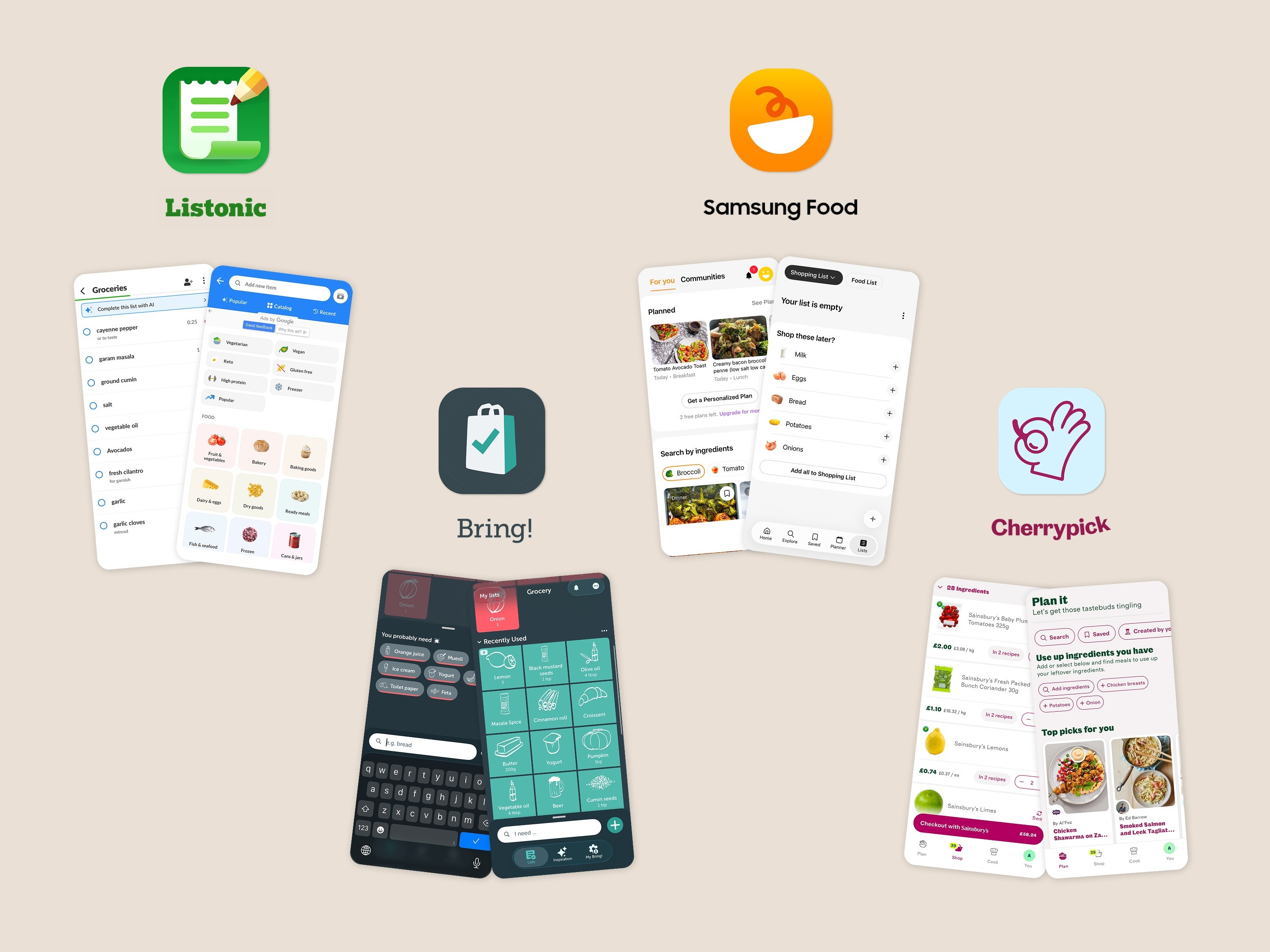
The review highlighted a consistent category gap:
List apps make item entry fast but have limited awareness of what is already at home.
Recipe products inspire meals but do not always connect smoothly to shopping.
Pantry tracking often exists as a separate or secondary feature.
Products commonly optimise one part of the journey rather than the full loop.
The opportunity was not simply to create another grocery list. It was to make the household’s live kitchen state the foundation connecting shopping and meal planning.
How might we help people understand what they have, what they need, and what they can cook in one glance?

The cost of a disconnected kitchen
The problem extends beyond planning inconvenience. According to WRAP, UK households discarded 6 million tonnes of food in 2022—around 210 kg per household. Approximately 4.4 million tonnes was food that could have been eaten. WRAP: Household Food and Drink Waste in the UK 2022
This reinforced an important opportunity for Dishlist: food is not always wasted because people lack recipes or shopping lists, but because they lose track of what they already have and how it connects to upcoming meals.

Dishlist therefore does not promise to eliminate food waste. Its role is more focused: maintain visibility across My Kitchen, To Buy, and To Cook, helping people notice available ingredients, avoid unnecessary duplicates, and plan meals around food already at home.
The product hypothesis
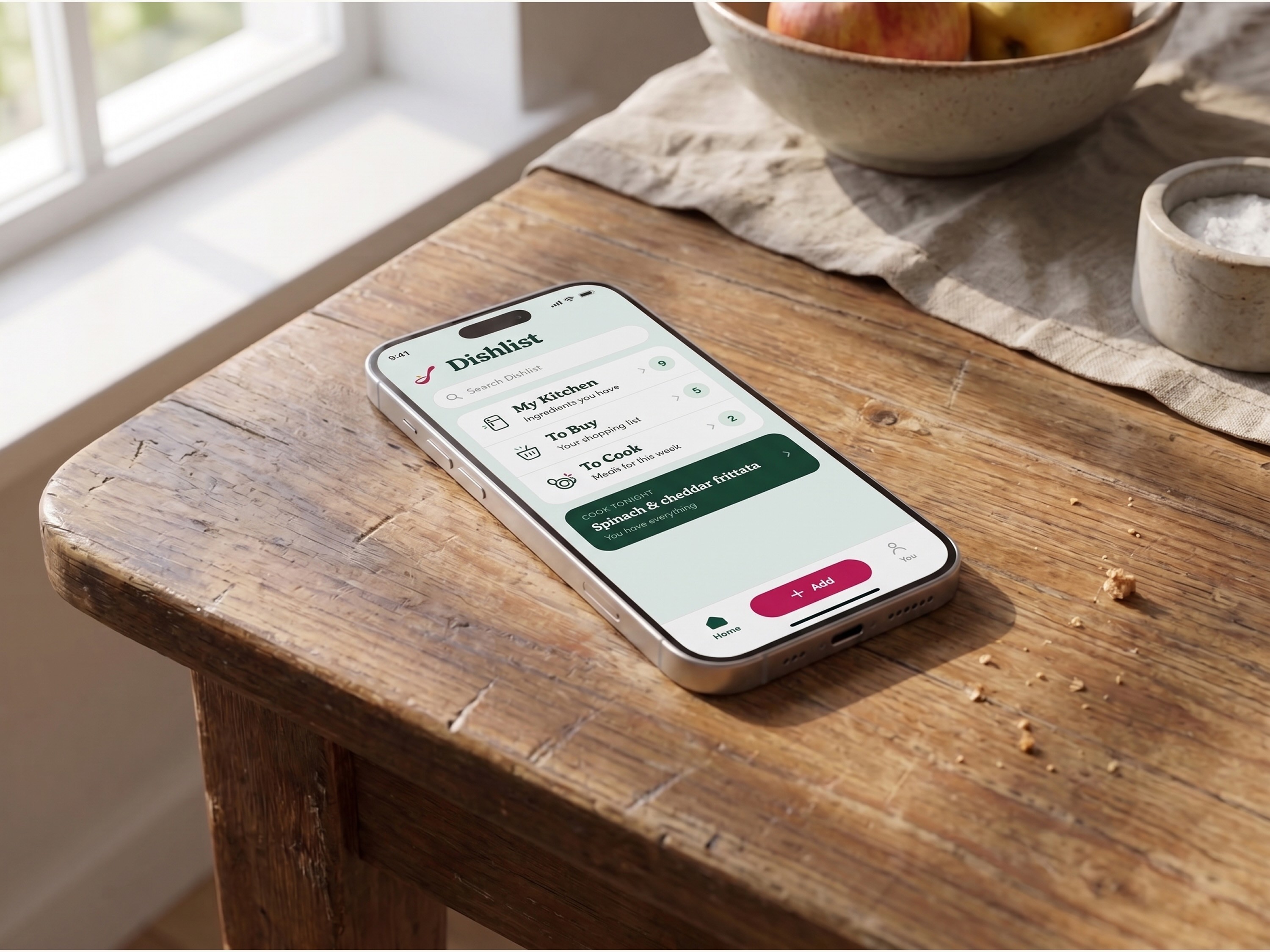
I believed that organising the home screen around three connected live states—My Kitchen, To Buy, and To Cook—behind one universal Add action would reduce repeated entry and make weekly food planning easier to understand.
My Kitchen: ingredients already available
To Buy: items needed from the shop
To Cook: meals planned or saved
The goal was to turn “open the app” into “see where things stand.”
Product principles
Remember for me: Make repeated shopping easier over time.
Connect the journey: Turn meal ideas into actionable shopping lists.
Use what I have: Let available ingredients shape suggestions and prevent duplicates.
Keep it understandable: Make the location and status of every item clear.
Ideation
I directed AI to simulate a structured, cross-functional feature jam — playing Growth, Research, Engineering, Design, AI/Data, and Retail Partnerships perspectives — against the benchmark findings above, run against one prioritization question: which features make the live, linked-kitchen loop harder to copy the longer it runs?
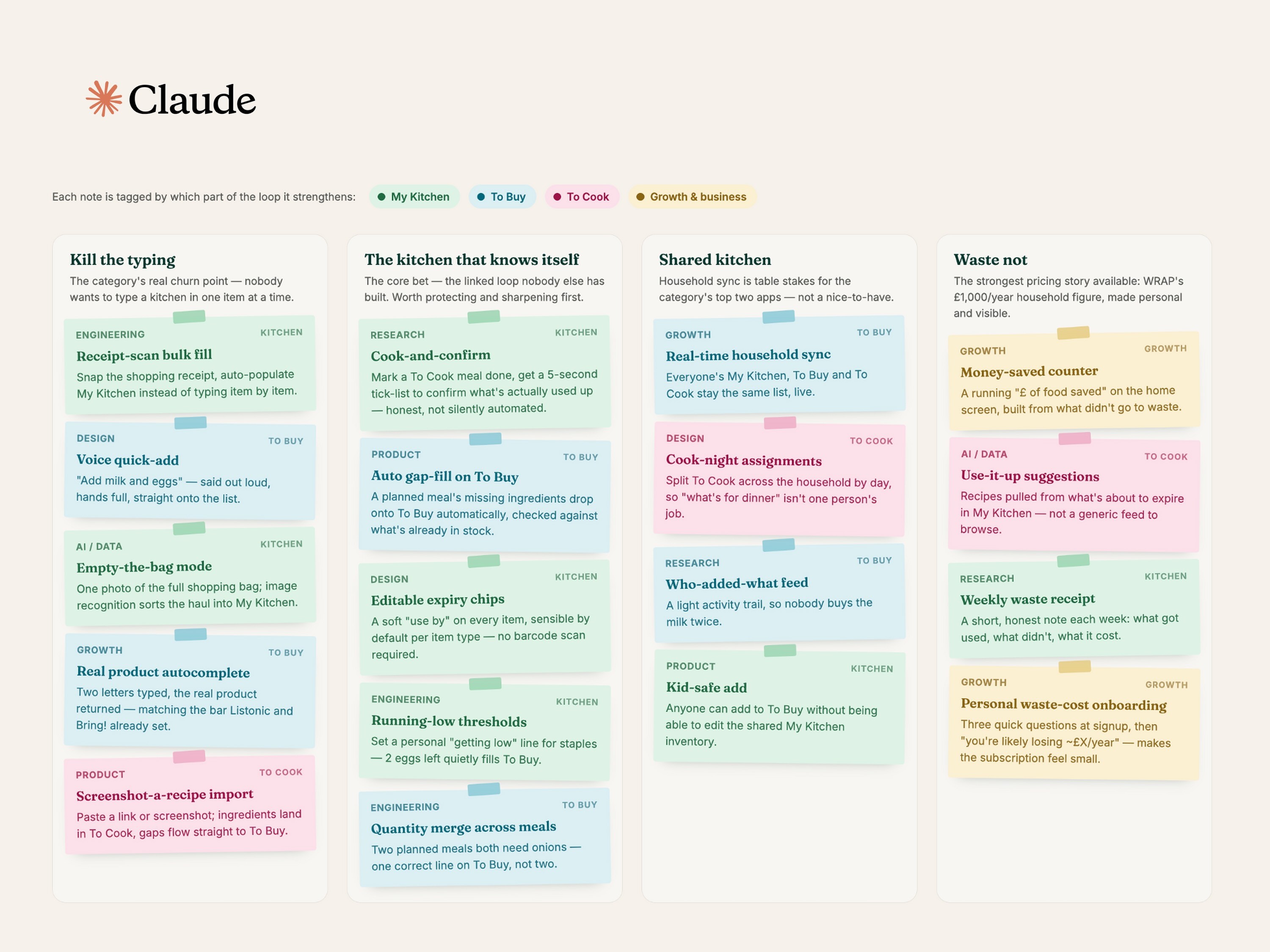
That lens is what separated the table-stakes ideas — household sharing, voice quick-add, the friction-reduction moves the top two competitors already own — from the ones that compound over time:
Receipt-scan fill — eliminate manual entry into My Kitchen entirely.
Cook-and-confirm — a five-second tick-list after a planned meal that keeps inventory honest, without silently auto-decrementing it.
Household sync — real-time shared state across My Kitchen, To Buy, and To Cook.
A running "food saved" counter — ties the core loop directly to the pricing story (see Impact, below).
Prioritising the MVP
I prioritised features that directly supported the connected kitchen–shopping–meal loop.
The MVP included the three live states, a universal Add action, grocery-aware item details, meal-to-list conversion, ingredient-based suggestions, and persistent data.
Receipt scanning, retailer checkout, price comparison, advanced household collaboration, and subscription mechanics were deliberately deferred. They could add value later, but would increase complexity before the core mental model had been validated.
Three key design decisions
1. Show the whole system on the home screen
An early direction treated pantry, shopping, and meals as separate destinations. Although familiar, it reproduced the same fragmentation the product was intended to solve.
I brought all three onto one home screen with live counts. This gives users an immediate summary and communicates that the sections belong to one system.
Trade-off: The terminology may be unfamiliar, so comprehension of the three states needs to be tested with users.
2. Use one universal Add action
Instead of making users navigate to the correct list first, the global Add action lets them capture an item from anywhere and decide whether it belongs in My Kitchen, To Buy, or To Cook.
Additional grocery details—such as quantity, category, price, and substitutions—appear only when relevant, keeping the first step lightweight.
Trade-off: A global action can become overloaded, so the MVP limits its responsibilities and uses clear defaults.
3. Let meals connect the kitchen to shopping
When users select a meal, Dishlist checks its ingredients against My Kitchen and adds only what is missing to To Buy.
Choose a meal → check My Kitchen → add missing ingredients → shop → update My Kitchen
This interaction turns recipe inspiration into a practical household action rather than another saved collection.
From design to working MVP
I began with hand-drawn sketches to explore the structure and primary interactions before committing to a visual direction. The selected concept was developed into high-fidelity screens and a reusable Figma system using semantic colours, variables, and components.

I then used Claude Code to turn the design into a working PWA. Supabase provides persistent data, allowing My Kitchen, To Buy, and To Cook to remain in sync across sessions. The project was version-controlled on GitHub and deployed through Vercel.
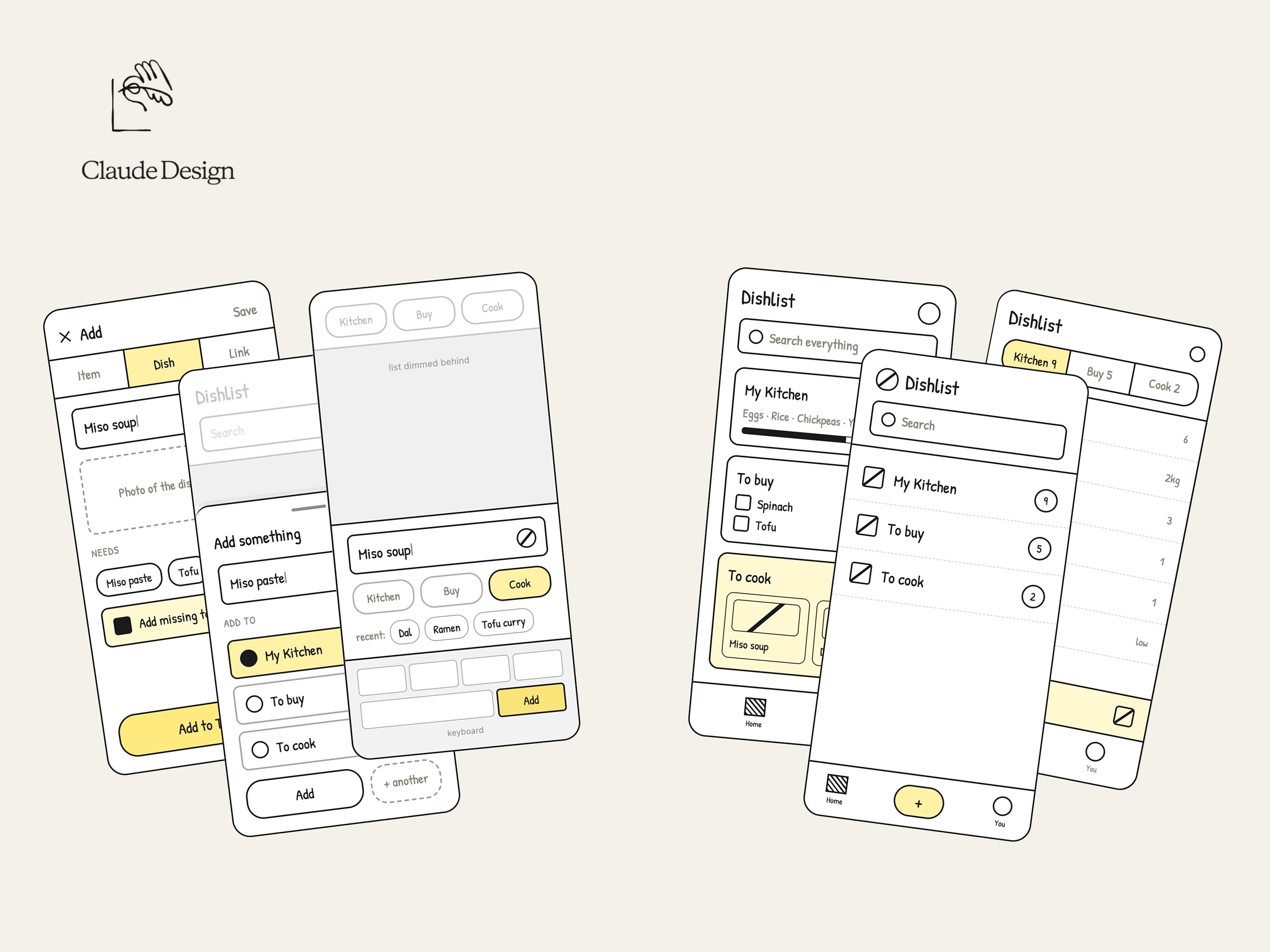
Building the real product exposed questions that static screens could hide, including empty states, loading behaviour, item transitions, and ambiguous system feedback.


Accessibility
I audited the primary experience against WCAG 2.2 AA and identified issues including missing dialog semantics, unlabeled icon-only controls, unexposed selected states, and contrast or structural-priority problems.
These findings were translated into implementation requirements covering semantic structure, focus behaviour, accessible labels, state communication, contrast, and touch-target size.

AI as design leverage
AI accelerated research synthesis, concept exploration, interface variations, documentation, and implementation. I remained responsible for framing the problem, interpreting evidence, selecting the product model, prioritising scope, defining interactions, and checking quality.
The value of the workflow was not simply faster screen production. It allowed me to move from an open brief to a testable product while keeping design judgment at the centre of the process.

Outcome
Dishlist progressed from an open-ended grocery-planning idea into:
A differentiated connected-kitchen proposition
A complete core product experience
A reusable Figma design system
A functional PWA with persistent data
A repeatable AI-assisted design-to-build workflow
The MVP demonstrates product coherence and technical feasibility. It does not yet prove sustained use, willingness to pay, or reduced food waste—and I do not present those as outcomes.

Next step
The next step is moderated usability testing with UK household grocery planners. The research will focus on whether people understand the three-state model and can complete the meal-to-shopping loop without assistance.
The key questions are:
Can users explain My Kitchen, To Buy, and To Cook?
Can they add an item to the right place?
Can they turn a meal into a useful shopping list?
Do they understand how items move between states?
These findings will determine whether the core structure should be refined before investing in retailer integrations, collaboration, automation, or monetisation.
Reflection
The most valuable outcome was not the number of screens produced. It was turning three fragmented behaviours—buying, having, and cooking—into one coherent product model.
AI made it possible to build and test that model earlier, but faster production increased the importance of judgment: choosing the right problem, controlling scope, and remaining honest about what the MVP has not yet proven.